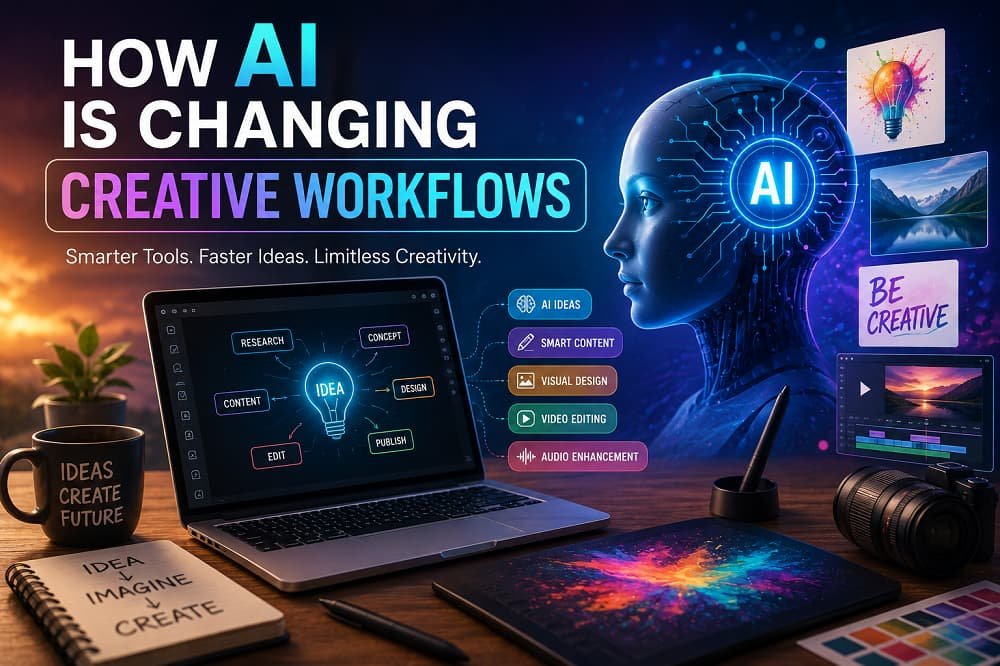
Artificial intelligence is no longer just a futuristic idea or a tool reserved for technology companies. It has become part of everyday creative work. Writers use AI to brainstorm ideas, designers use it to explore visual concepts, marketers use it to create campaigns, and video creators use it to speed up editing and production.
The biggest change is not that AI is replacing creativity. It is changing how creative people move from an idea to a finished piece of work.
Tasks that once required hours of research, brainstorming, drafting, editing, or experimenting can now be accelerated with AI. This gives creators more time to focus on strategy, storytelling, originality, and the human decisions that make creative work meaningful.
In this article, we’ll explore how AI is changing creative workflows, the benefits and challenges it brings, and how creators can use it without losing their unique voice.
Contents
- What Is an AI-Powered Creative Workflow?
- How AI Is Changing the Creative Process
- AI for Brainstorming and Idea Generation
- AI in Writing and Content Creation
- AI for Design and Visual Creativity
- AI in Video and Audio Production
- AI and Creative Collaboration
- The Benefits of AI in Creative Workflows
- Challenges and Risks of Using AI
- How to Use AI Without Losing Your Creative Voice
- The Future of AI and Creativity
- Frequently Asked Questions
What Is an AI-Powered Creative Workflow?
A creative workflow is the process someone follows to turn an idea into a finished result.
For a writer, that workflow might look like this:
Research → Outline → Draft → Edit → Publish
For a designer, it might look like:
Brief → Research → Concepts → Design → Feedback → Final Delivery
AI can now assist at almost every stage.
Instead of replacing the entire workflow, AI often acts as a creative assistant. It can help generate ideas, organize information, create first drafts, suggest improvements, automate repetitive tasks, and provide alternative approaches.
The human creator still plays an important role by deciding:
- What ideas are worth pursuing
- Which creative direction fits the project
- What information is accurate
- What tone and style should be used
- What should be edited or removed
- Whether the final work achieves its purpose
In other words, AI can accelerate the process, but creative judgment still matters.
How AI Is Changing the Creative Process
Traditional creative work often follows a linear process. You start with an idea, develop it, create a draft, receive feedback, and revise it.
AI makes this process more flexible and iterative.
A creator can now generate multiple ideas within minutes, compare different directions, rewrite content in several tones, create visual concepts, and test variations before committing to one approach.
For example, instead of spending an entire day exploring possible campaign concepts, a marketing team might use AI to generate a large number of starting points. The team can then select the strongest ideas and develop them further.
This does not mean that every AI-generated idea is good. In fact, many ideas may be generic or unusable.
The advantage is speed.
AI can reduce the time spent staring at a blank page or starting every experiment from scratch.
AI for Brainstorming and Idea Generation
One of the most useful applications of AI is overcoming the blank-page problem.
Creative professionals can use AI to generate:
- Blog topic ideas
- Headlines and titles
- Campaign concepts
- Story prompts
- Social media content ideas
- Product names
- Design directions
- Video concepts
- Different audience perspectives
Imagine you are writing an article about sustainable living. Instead of asking AI to simply write the article, you could ask it to generate:
- Ten unique angles for the topic
- Questions your audience may ask
- Common misconceptions
- Beginner and advanced perspectives
- Contrarian viewpoints
- Content formats for different platforms
This creates a larger pool of possibilities.
The creator can then use personal experience, expertise, research, and judgment to select the best direction.
AI is especially useful during brainstorming because it can quickly provide alternatives when your first idea is not working.
AI in Writing and Content Creation
Writing is one of the areas where AI has had the biggest impact.
AI tools can assist writers with:
- Outlining articles
- Generating first drafts
- Rewriting sentences
- Summarizing information
- Improving clarity
- Suggesting headlines
- Adapting tone
- Repurposing content
- Creating multiple content variations
For example, a long blog post can be transformed into:
- Social media posts
- Email newsletters
- Video scripts
- Short summaries
- Frequently asked questions
- Content for different audiences
This can make content production significantly more efficient.
However, AI-generated writing should not automatically be treated as finished writing.
The strongest content usually involves human editing.
A writer can add:
- Personal experience
- Original opinions
- Industry knowledge
- Accurate examples
- Emotional depth
- A recognizable voice
AI may create the structure, but the creator can add the perspective that makes the content memorable.
The New Writing Workflow
An AI-assisted writing workflow might look like this:
Idea → AI Brainstorming → Human Selection → Research → Outline → Draft → Human Editing → Fact Checking → Final Version
The important part is that AI becomes one stage of the process rather than the entire process.
AI for Design and Visual Creativity
AI is also changing how designers approach visual work.
Instead of immediately opening a design application and building every concept from scratch, designers can use AI to explore visual directions.
AI can help generate:
- Mood boards
- Concept art
- Image variations
- Backgrounds
- Illustrations
- Color and style ideas
- Early prototypes
- Marketing visuals
A designer might explore ten different visual directions before deciding which one deserves more attention.
This can be particularly useful during the early concept stage.
For example, a brand may want to explore several possible campaign styles:
- Minimal and modern
- Warm and human
- Futuristic
- Editorial
- Playful
- Luxury-inspired
AI can help visualize these directions quickly.
The designer can then refine the strongest concept using professional design tools and creative judgment.
The role of the designer shifts from simply producing assets to making more decisions about art direction, consistency, storytelling, and quality.
AI in Video and Audio Production
Video production traditionally involves many time-consuming tasks.
AI can now assist with:
- Script generation
- Transcription
- Subtitle creation
- Video clipping
- Background removal
- Audio cleanup
- Voice generation
- Translation
- Highlight detection
- Editing suggestions
For content creators, this can dramatically reduce the amount of manual work required.
For example, a one-hour interview can be transcribed, summarized, and turned into multiple short-form video ideas.
An editor can then focus on storytelling rather than spending hours performing repetitive tasks.
AI can also help creators experiment with different formats.
A single piece of content might become:
Long-form video → Short clips → Audio highlights → Social posts → Newsletter content
This makes repurposing content faster and easier.
However, the creative choices surrounding pacing, emotion, storytelling, and audience engagement still benefit greatly from human judgment.
AI and Creative Collaboration
AI is also changing the way creative teams collaborate.
Instead of waiting for every team member to complete their part of a project, AI can help teams quickly create early versions of ideas.
A writer can create a campaign concept.
A designer can immediately generate visual directions.
A marketer can create audience-specific messaging.
A team can then review these materials together and improve them.
This can shorten the feedback cycle.
AI can also help with communication by:
- Summarizing meetings
- Organizing project information
- Creating briefs
- Generating action items
- Translating content
- Documenting ideas
The result is a more connected workflow where ideas can move faster between different stages.
The Benefits of AI in Creative Workflows
AI offers several important benefits for creative professionals.
1. Faster Idea Generation
Creators can explore more possibilities in less time.
Instead of spending hours searching for a starting point, AI can provide multiple directions that can be evaluated and improved.
2. Less Time Spent on Repetitive Tasks
Tasks such as transcription, formatting, summarizing, and creating variations can often be automated.
This gives creators more time for higher-value work.
3. More Creative Experimentation
Because AI can generate variations quickly, creators can experiment more freely.
You can test several headlines, design concepts, scripts, or content angles without starting from zero each time.
4. Easier Content Repurposing
AI makes it easier to adapt one piece of content into several formats.
This is especially valuable for businesses and content creators who publish across multiple platforms.
5. Increased Accessibility
People who may not have advanced technical skills can use AI to explore creative ideas.
A small business owner can create early marketing concepts. A writer can experiment with visual storytelling. A designer can quickly communicate an initial idea.
This can lower the barrier to creative experimentation.
Challenges and Risks of Using AI
AI also introduces important challenges.
Generic Content
One of the biggest problems with AI-generated content is sameness.
If creators accept the first output without editing, the result can sound generic.
The solution is to treat AI output as a starting point rather than a final answer.
Add your:
- Perspective
- Experience
- Voice
- Research
- Opinions
- Creative judgment
Accuracy Problems
AI can generate incorrect information.
This is especially important when creating content involving:
- Health
- Finance
- Law
- History
- Statistics
- News
Important claims should be checked using reliable sources.
Copyright and Ownership Questions
Creators should understand the rules and licenses surrounding the AI tools and assets they use.
Questions about ownership, training data, style imitation, and commercial use continue to evolve.
Businesses should establish clear policies for how AI-generated content can be used.
Over-Reliance on AI
AI can become a crutch if creators stop developing their own creative thinking.
If every idea begins and ends with AI, the work may become predictable.
The goal should be to use AI to expand your creativity, not replace your ability to think.
How to Use AI Without Losing Your Creative Voice
The best approach is to treat AI as a collaborator rather than an autopilot.
Here are some practical ways to maintain your originality.
Start With Your Own Ideas
Before asking AI for suggestions, write down your initial thoughts.
This ensures that your original perspective remains part of the project.
Use AI for Options, Not Final Decisions
Ask AI to generate alternatives.
Then decide which direction is right.
For example:
Instead of asking:
Write the perfect headline.
Try:
Give me 20 different headline approaches, including emotional, practical, curiosity-driven, and minimalist options.
You remain responsible for selecting and refining the result.
Add Personal Experience
Personal stories, professional experience, and original observations can make creative work more distinctive.
These are things AI cannot genuinely experience.
Create a Style Guide
Writers and brands can document:
- Tone of voice
- Preferred vocabulary
- Words to avoid
- Audience expectations
- Formatting preferences
- Brand personality
This can help ensure that AI-assisted work remains consistent.
Always Edit the Final Output
Review the work for:
- Accuracy
- Originality
- Tone
- Clarity
- Repetition
- Brand consistency
The final responsibility should remain with the human creator.
A Practical AI-Powered Creative Workflow
Here is a simple workflow that can work for many creative projects.
Step 1: Define the Goal
Before using AI, clearly define what you want to achieve.
Ask:
- Who is the audience?
- What problem are you solving?
- What action should the audience take?
- What emotion should the work create?
Step 2: Brainstorm With AI
Generate multiple ideas, angles, and possibilities.
Avoid choosing the first answer immediately.
Step 3: Select the Best Direction
Use human judgment to identify the strongest ideas.
Step 4: Research and Develop
Gather accurate information and add your own expertise.
Step 5: Create the First Draft
Use AI where it helps, but maintain control over the creative direction.
Step 6: Review and Improve
Edit the content for originality, accuracy, and quality.
Step 7: Test and Iterate
Collect feedback and use it to improve future work.
This creates a cycle:
Human Idea → AI Assistance → Human Judgment → Creation → Feedback → Improvement
The Future of AI and Creativity
AI will likely become even more integrated into creative tools.
Instead of being a separate application, AI may become a natural part of writing software, design platforms, video editors, music tools, and collaboration systems.
Creative professionals may spend less time on repetitive production tasks and more time on:
- Strategy
- Storytelling
- Art direction
- Creative decision-making
- Relationship building
- Original thinking
The most successful creators may not necessarily be those who use AI to create everything automatically.
They may be the people who learn how to combine AI’s speed with human creativity, judgment, and experience.
AI can generate many possibilities.
Humans decide which possibilities matter.
Frequently Asked Questions
Is AI replacing creative professionals?
AI is changing creative roles and automating certain tasks, but human creativity, judgment, strategy, and emotional understanding remain important. In many cases, AI is becoming a tool that assists professionals rather than completely replacing them.
How can writers use AI?
Writers can use AI for brainstorming, outlining, generating variations, improving clarity, summarizing information, and repurposing content. The best results usually come from combining AI assistance with human research and editing.
Can AI help designers?
Yes. AI can help designers explore concepts, generate early visual ideas, create variations, and speed up repetitive tasks. Designers still play an important role in art direction, brand consistency, usability, and creative decision-making.
What are the risks of AI-generated content?
Common risks include inaccurate information, generic content, copyright concerns, privacy issues, and over-reliance on automation. Reviewing and editing AI-generated work is important.
Will AI make creativity easier?
AI can make certain parts of the creative process faster and more accessible. However, tools alone do not guarantee originality or quality. The creator’s ideas, perspective, and judgment remain essential.
Final Thoughts
AI is changing creative workflows by making it faster to brainstorm, experiment, draft, edit, and repurpose ideas.
But speed is not the same as creativity.
The most valuable creative work still depends on human perspective, taste, experience, emotion, and judgment.
The future of creative work is unlikely to be simply humans versus AI.
Instead, it is increasingly becoming a collaboration:
AI helps creators explore possibilities. Humans give those possibilities meaning.
By using AI strategically rather than blindly, writers, designers, marketers, artists, and content creators can build faster workflows while still protecting the originality and personality that make creative work worth experiencing.